Synopsis
At times you might think it’s a good idea to install a jailkit for your Virtualmin server to isolate users. Read on, both how to turn it on, and then turn it off when you find that FTP justs fails.
Recipe to turn it on
apt-get install webmin-jailkit
Once it is installed you will find a new section in Webmin -> System -> Jailkit Jail Manager
Then go to Manage Virtual server as the administrator of the system, and Edit Owner Limits where you’ll find Environment limitations.

See it’s on:
[[email protected]:/root]> getent passwd username
username:x:3019:1401:client.example.com:/home/chroot/17690213763887368/./home/username:/sbin/jk_chrootsh
Turn it off!
As mentioned, this go a bit south if users are using ProFTP, so you’d probably want to quickly turn it off for those users.
usermod -s /bin/bash username
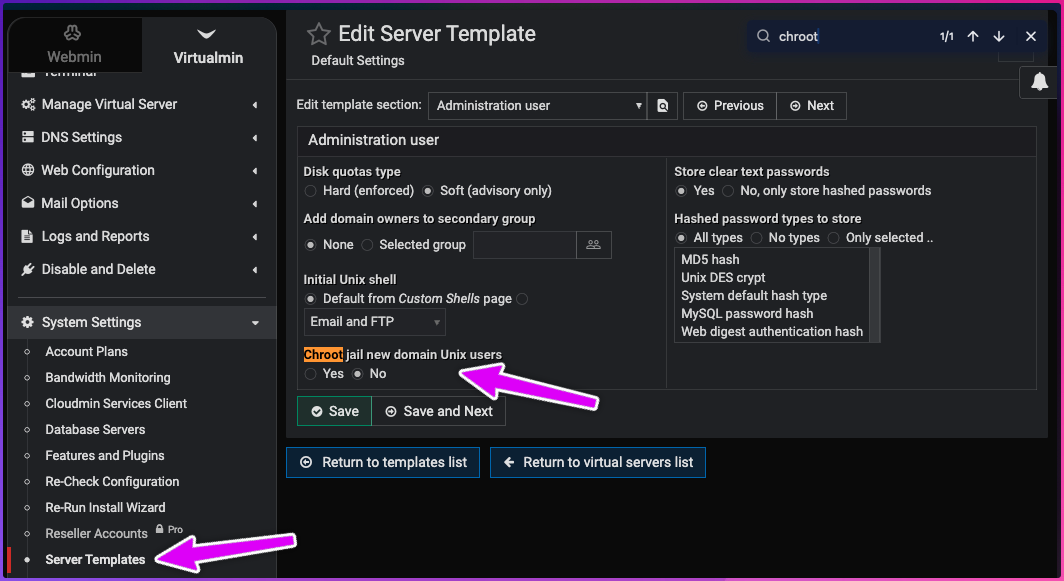
In the UI of 2026, you’ll find the global setting for new users here: